The first project is a tribute page. My finished product should be functionally similar to this sample.
FCC lets you make the page about whatever you want it to be, so I’ll be dedicating this one to the late-great Sidney Poitier. The best thing about this is it lets me do leisure research while tying it into a practical task.
I first want to say how I admire CodePen’s interface. It has 3 different interpreters (HTML, CSS, JavaScript) and lets you see a preview of your work right below. It looks much simpler than the other ones I was trying like Atom or GitHub. I’m sure those two are sufficient, but CodePen is less overwhelming for a beginner. Though I am wondering if this is realistic, I would think real-world code (in professional settings) is all put together and not separated like this.
I do hope this project doesn’t expect me to do any JS; like those teachers who put material on the test that we never went over.
Anyway, let’s get to it.
There are 9 ‘user stories’, which is essentially the criteria this webpage must meet. They’re not really that difficult, nor am I going to walk through every last one, so you can just look over them here.
Now I could just copy and paste the sample’s code and replace the content with mine, but that wouldn’t do anything for me in the long run. So I will use the sample as a reference, but I’ll make sure to type out every command from scratch.
Here’s how the page looked after only using HTML:

And here’s the code. Notice the white text is what’s physically on the page:

So turns out you don’t actually have to add any stylistic properties to this page. After you finish the HTML, all they ask is to make the image responsive.
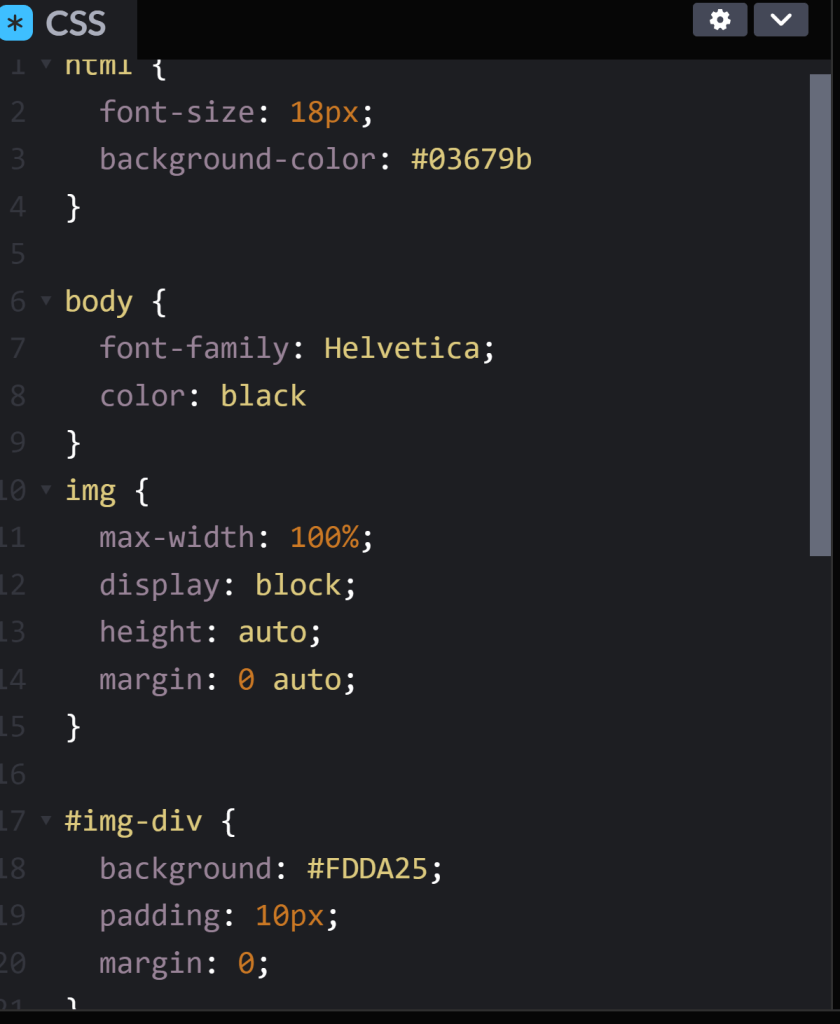
All I had to do was add the image and image container (img-div) properties to CSS. The former adjusts the content itself, while the latter adjusts the box the content lies in; the product and the package.
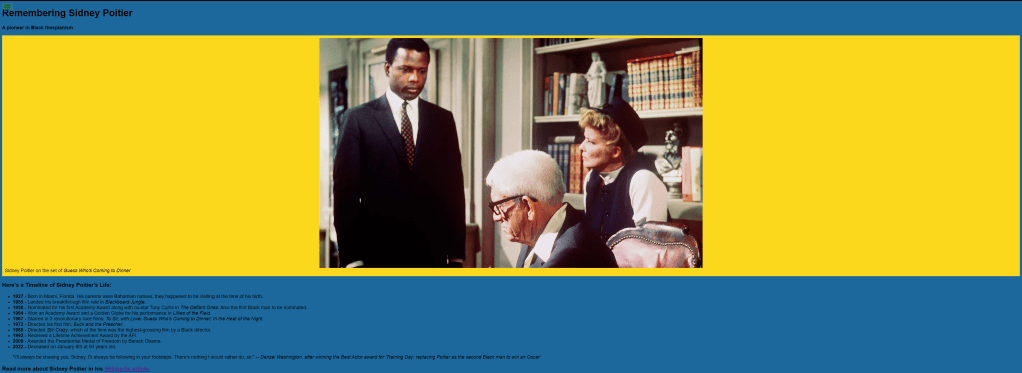
I didn’t feel like making this unnecessarily harder, but out of respect for Mr. Poitier, I styled the colors after the Bahamian flag. You can Google any special color along with “CSS code” or “RGB code” if you want to be fancy.
Anyway, here’s the CSS code:
And here’s the final product:
This wasn’t as hard as I anticipated, just tedious. I know this is only the beginning.
But for today, I’m patting myself on the back. I made my first webpage from scratch. 😆

 Grant Abraham